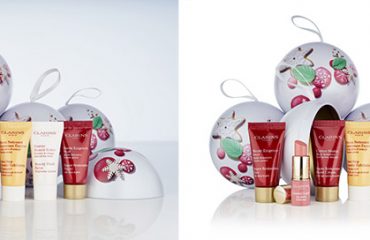
Creating visually appealing product photos for your e-commerce store or marketplace is essential. Customers expect high-quality images when shopping online. However, outsourcing photo editing services can be challenging because you might not always be sure about the best editing approach for your products.
In this article, we’ll demonstrate how to efficiently blend various photo editing services into a single order. This not only provides you with valuable insights on improving your product photos during post-production but also helps you streamline your efforts, saving both time and money by strategically planning the combination of editing services you require.
White background and drop / natural shadow:
The clipping path technique is widely used for background removal in product photos. It enables you to isolate the product, making it versatile for placement against various backgrounds or for different creative uses. However, the challenge lies in avoiding a flat and uninspiring look.
To elevate your product photos, consider incorporating a natural or drop shadow effect. This technique works wonders for a range of products, from electronics and accessories to furniture and food items. Adding shadows not only helps your products pop against a white backdrop but also imparts a sense of depth and realism, making your visuals more captivating and engaging.
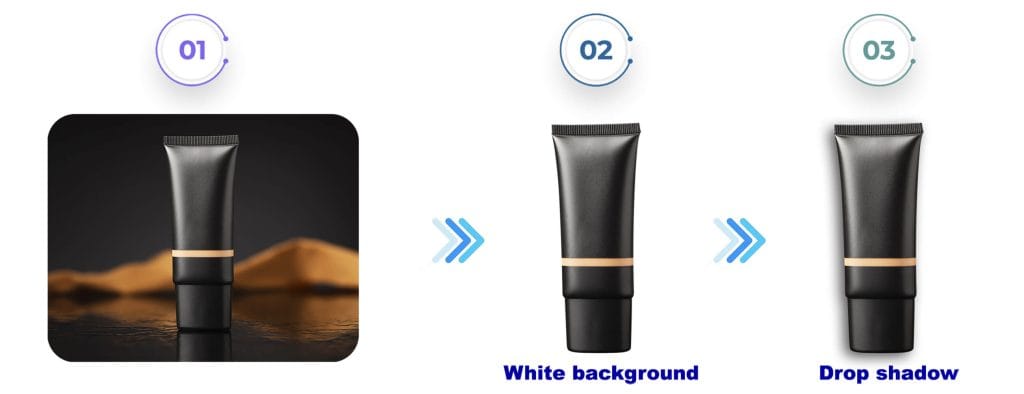
Consider that there are various shadow types at your disposal, each suited to different product types. For instance, products with natural suspension, such as earrings or ceiling lamps, can benefit from a floating shadow effect. Similarly, items with distinctive angles, like the sneakers in the example below, can also be enhanced with this technique. The choice of shadow style should align with the unique characteristics of the products you sell, ultimately contributing to more visually appealing and enticing product photos.
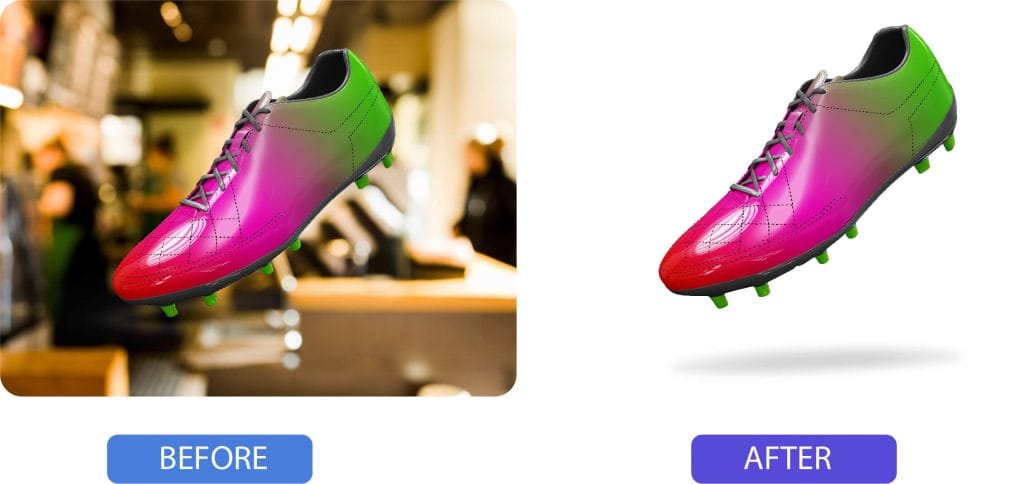
Utilizing an enhanced existing shadow technique is ideal for preserving the original shadow captured during the initial shoot, as demonstrated in the example below. This method helps maintain the authenticity of the product’s lighting conditions, resulting in a more natural and realistic appearance in your photos.
Background removal + reflection shadow:
For those in the business of selling items like jewelry, watches, perfume, and cosmetics, there’s a powerful technique to consider: the addition of a reflective shadow, following the background removal process through a clipping path. This seemingly minor adjustment can remarkably elevate the visual appeal, imbuing your product imagery with a sense of luxury.
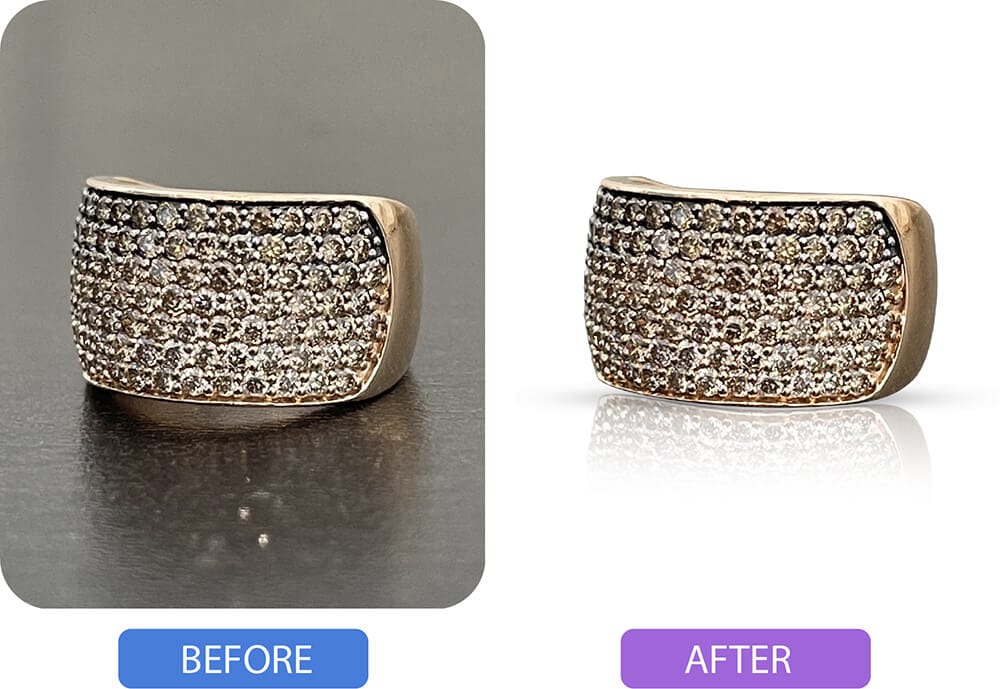
The reflective shadow effect conjures the illusion of a gleaming, reflective surface beneath your products, akin to what you’d find in an upscale store with glass, metallic, or acrylic displays. This effect adds a touch of sophistication to your product visuals, enhancing their overall allure and desirability.
Background removal + color change:
In the realm of e-commerce, managing multiple product variants, especially when new colors become available, can be a time-consuming and costly affair. Ensuring consistent lighting and composition across all products further compounds the challenge.
However, there’s a savvy solution at hand: By combining color change and background removal services, you can streamline this process significantly. All you need is a single, high-quality photo that effectively showcases your product.
Our skilled editors will then meticulously edit various shades, creating a natural and appealing look. This enables your customers to effortlessly toggle between colors and select their preferred product variant. It’s important to note that we perform every edit manually, without relying on automation or AI, ensuring that your product colors maintain a realistic appearance.
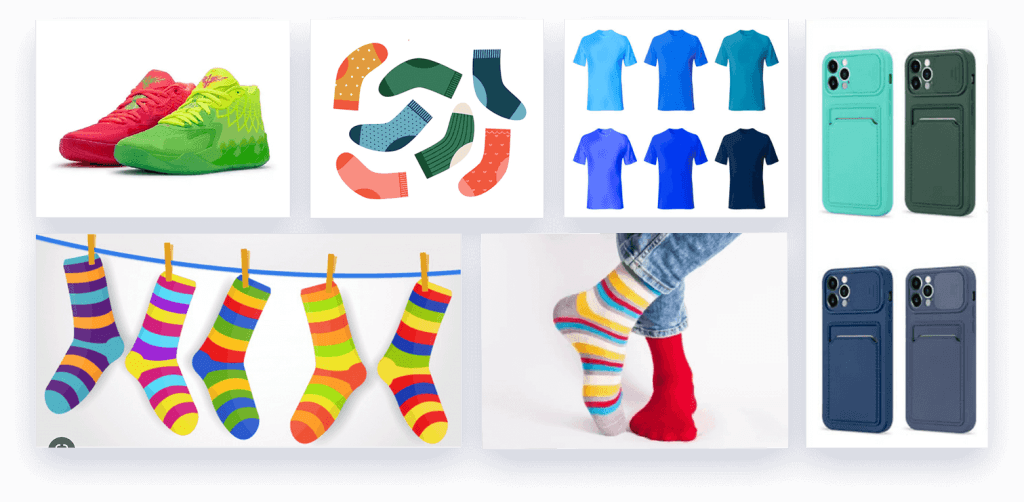
But the utility of color change shots doesn’t end with product listings. You can leverage them effectively in other aspects of your marketing strategy. For instance, create eye-catching collages or series of individual images for social media, showcasing all available color variations. Alternatively, incorporate these visuals into leaflets or brochures to distribute to potential clients, offering a comprehensive view of your product’s color choices.
Background removal + drop shadow:
For those in the business of selling clothing and accessories, you’re likely well aware of how disruptive price tags and hangers can be in product photos. Fortunately, there’s an effective solution: clipping paths. Our editors expertly remove these distractions, ensuring a clean and distraction-free product image by cutting out the background. This process guarantees consistency across all your product visuals.
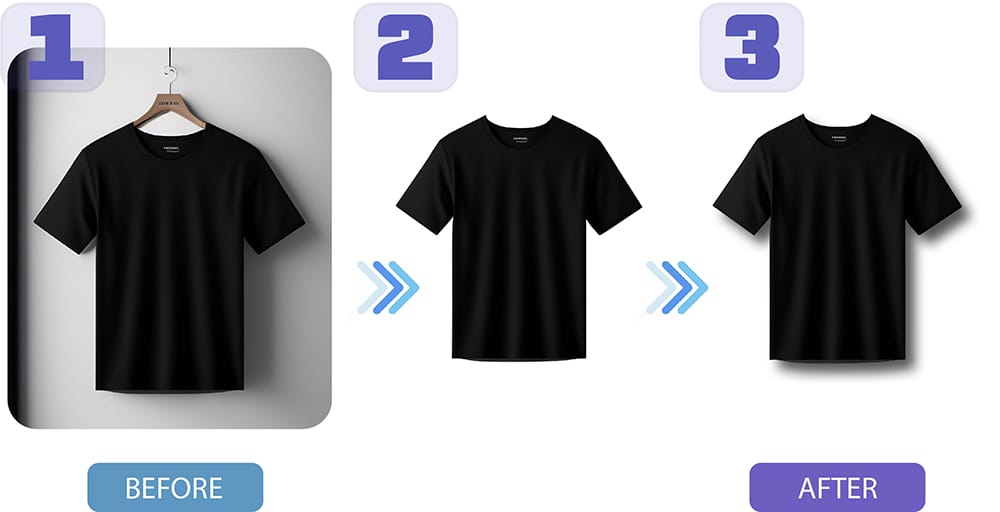
To take your product images up a notch, consider adding a drop shadow to your order. This subtle touch not only adds depth but also delicately separates the product from the white background, enhancing the overall visual appeal of your merchandise.
Fabric wrinkle removal + drop shadow or clipping path:
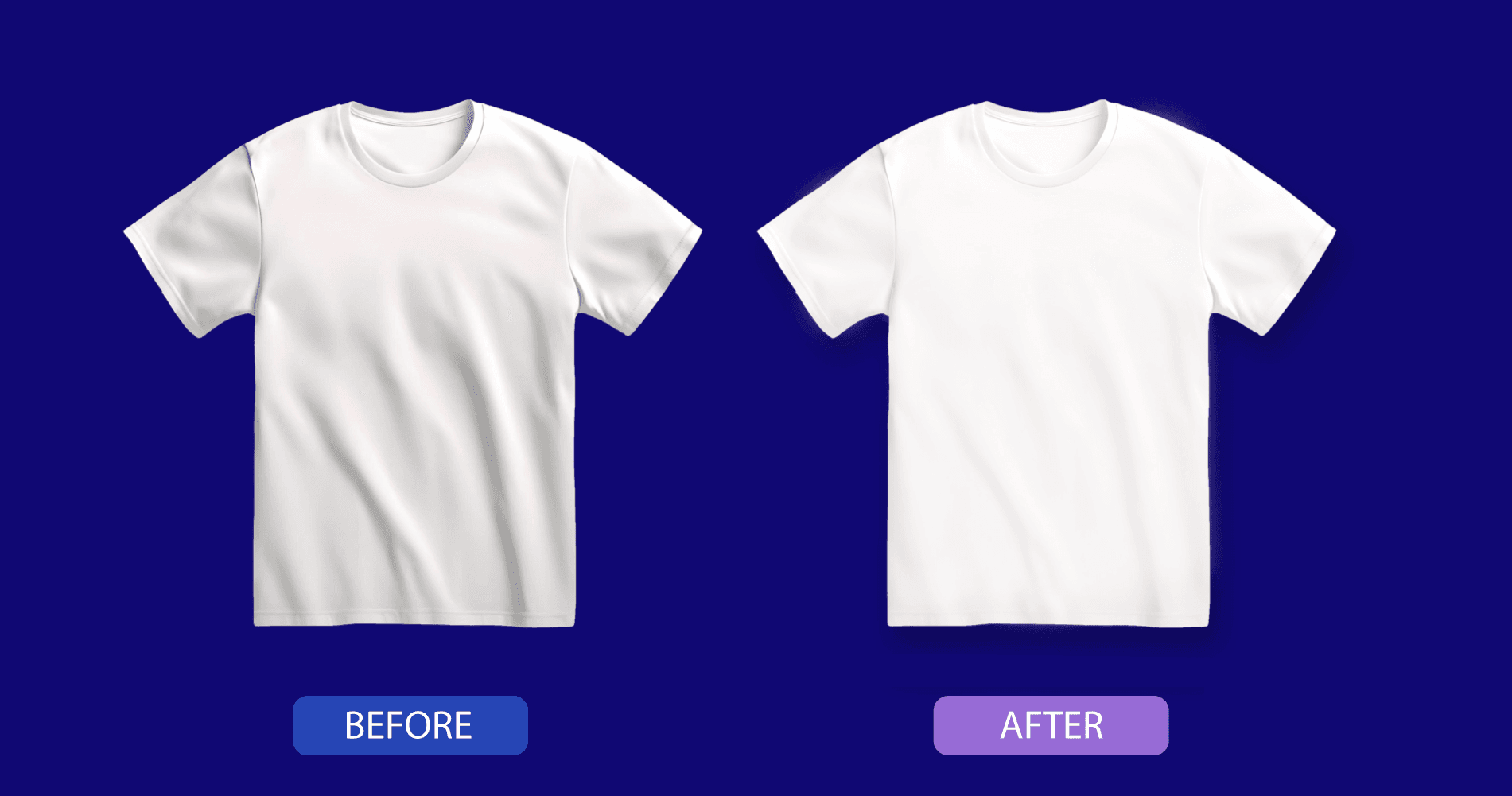
Preparing fabric products for a photoshoot can be a meticulous endeavor, and despite careful handling, transportation and packaging can introduce wrinkles and blemishes to items like clothing, accessories, decor, and furniture.
Image space
To ensure your products shine in their photos, consider a two-step approach. First, opt for wrinkle removal to eliminate any distracting imperfections that may have arisen during transit or the shooting process. Then, depending on your intended use, you have two options:
- For e-commerce platforms Like Amazon: If you intend to use a white background to meet listing photo requirements (as commonly seen on platforms like Amazon), the clipping path is your go-to choice. It effectively removes the background, leaving your product with a clean, white backdrop, meeting the platform’s specifications.
- To Retain the Original Background: If you prefer to keep the original background and wish to enhance the image further, consider adding a drop shadow to the wrinkle removal order. This extra step not only maintains the authenticity of the original setting but also adds depth and visual appeal to your product images.
Photo retouching + color change:
Photo retouching serves as the initial step in perfecting your product images by eliminating imperfections such as fabric wrinkles, tags, and blemishes. Importantly, it doesn’t alter the fundamental appearance of your product but rather enhances it to exude professionalism and appeal to your customer base.
Image space
For instance, consider this scenario: We began by eliminating wrinkles from the model’s shorts while keeping the rest of the photo intact. Following this, we executed a product color change from brown to green.
When you integrate photo retouching with a color change in a single order, you gain a substantial advantage, particularly if your inventory includes multiple product variations. This approach eliminates the need for reshooting items, saving you valuable time and resources.
Notably, in the case of lifestyle shots like this, replicating the exact model’s pose and camera angle is a challenging endeavor. It takes just a split second for the model’s facial expressions to shift from one image to another.
However, with a color change, this concern evaporates. All photos maintain a consistent look, ensuring uniformity across your product visuals. This versatile service isn’t limited to clothing alone; it can be applied effectively to a wide array of products, including accessories, jewelry, furniture, bedding, and more.