The quiet standard behind premium product visuals
The phrase manual clipping path might sound old-school in a world where you can remove a background with one click, but for top brands it remains one of the most practical, modern decisions they can make for product imagery. Brands that sell at scale do not treat product photos as casual content. They treat product images as revenue-producing assets that need to look consistent across storefronts, marketplaces, ads, email campaigns, catalogs, and, in many cases, print. That consistent look is fragile, because the moment edges look jagged, halos show up, shadows feel fake, or a product silhouette appears slightly “bitten” by an imperfect selection, the image starts to feel cheap, even if the product is not.
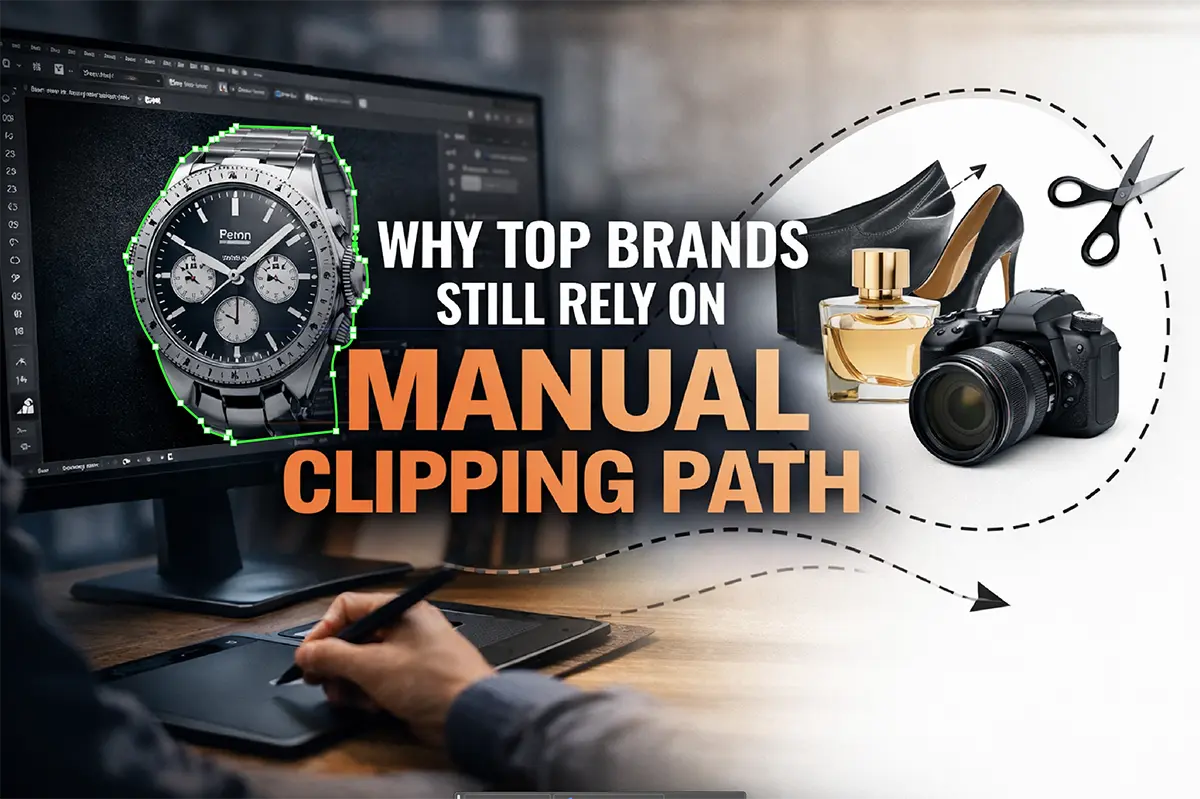
This is why the most successful brands keep manual clipping path in their workflow. Manual clipping paths are created by skilled editors using vector-based tools, typically the Pen Tool in Adobe Photoshop, to trace a clean outline around a product with controlled curves and precise corners. The result is not just a cutout; it is a foundation. Once the foundation is correct, background removal, shadow styling, color correction, label cleanup, and consistent layout placement become reliable and repeatable. Automated tools can be fast, but for top brands the bigger priority is predictable quality under deadline, with the fewest revisions and the lowest risk of rejection on platforms with strict image rules.
If you manage eCommerce photography, work in product marketing, or run an agency responsible for high-volume content delivery, this article will clarify why manual clipping path continues to win trust at the highest level. You will see the operational reasons, the aesthetic reasons, and the business reasons, and you will learn where automation helps, where it fails, and how modern teams blend speed and precision without sacrificing brand standards.
What a manual clipping path really is, in plain professional terms
A manual clipping path is a hand-drawn vector outline placed around a subject in a photo so the subject can be isolated cleanly from its background. In most professional workflows, that outline is drawn using the Pen Tool in Photoshop, because it provides the greatest control over curves, corners, and edge accuracy. The key word is manual. An editor makes judgment calls about where the product edge should be defined, how tight the selection should be, and how the outline should behave around tricky areas such as glossy highlights, bevels, seams, and thin components.
The concept can be explained simply: imagine a product sitting on a background. If you want to remove that background and place the product on pure white, a transparent PNG, or a lifestyle scene, you need a clean boundary. A clipping path creates that boundary with vector precision. Because it is vector-based, the path can be refined without degrading the image, and it can be reused as a selection for targeted edits. That is why manual clipping path is often considered more than background removal. It is a production tool that unlocks consistent retouching and consistent presentation.
Manual clipping path is most effective for products with hard edges, such as boxes, electronics, bottles, accessories, and furniture silhouettes. For soft edges like hair, fur, smoke, or sheer fabric, professionals often use masking techniques, sometimes combined with a clipping path for the main shape. The most mature workflows treat clipping path and masking as complementary, not competing. The reason top brands still talk about manual clipping path is that it remains the most reliable method for achieving clean, sharp, believable hard-edge cutouts at scale.
The automation era: what AI background removal does well and where it breaks
Automated background removal has improved for the same reason many AI tools have improved: models have seen more examples, hardware has improved, and product teams have optimized user experience around the most common cases. For a simple product shot with high contrast, a clean background, and a straightforward silhouette, automation can produce an acceptable result in seconds. In a fast-moving environment, that speed is valuable, and many teams use it as the first pass for bulk content, internal mockups, or low-risk social assets.
The problem is that automation behaves like a probability engine. It predicts edges rather than understanding them. In real production, edges are rarely ideal. Products reflect their environment, transparent materials blend with backgrounds, shadows complicate the silhouette, and subtle gradients confuse edge detection. AI tools also vary in how they treat edge softness, how they remove background color spill, and how they preserve fine details. Two photos of the same product under slightly different lighting can receive noticeably different cutout quality, which becomes obvious when you place those images side by side in an eCommerce grid.
Top brands cannot afford that variability. When a brand launches a new collection, it might need hundreds of images consistent to the pixel. If 3 percent of those images require manual repair because of halos, jagged lines, missing details, or incorrect holes, the cost is not just a small fix. The cost is time lost, approvals delayed, listings rejected, campaigns rescheduled, and internal stakeholders frustrated. This is the context in which manual clipping path remains a cornerstone. It is not used because brands do not know about automation. It is used because brands know exactly where automation still fails and what those failures cost in real business terms.
Why top brands prioritize edge integrity as a brand signal
In consumer psychology, trust is shaped by small cues long before a buyer reads specifications. In eCommerce, those cues are visual. When a product image looks crisp and consistent, the buyer feels that the brand is organized, reliable, and premium. When edges look messy or inconsistent, the buyer may not articulate the problem, but the perception shifts. The product feels less valuable, the seller feels less professional, and the overall experience feels less secure.
Edge integrity is one of the most important cues because it is one of the easiest for the brain to detect. Humans are extremely sensitive to boundaries. We notice when an object does not sit naturally in a scene, when a shadow does not match, or when there is an unnatural halo around an edge. These artifacts are common side effects of low-quality background removal, and they are precisely what manual clipping path is designed to prevent. When a professional editor draws a path, they decide how to handle each curve and corner so the product remains natural and believable, whether it sits on white, on transparency, or on a new background.
Top brands build long-term value through consistency. They standardize fonts, colors, messaging, and imagery because consistency lowers cognitive friction and strengthens recognition. Manual clipping path supports that consistency at the micro level. It ensures that every SKU, every angle, and every variant maintains a clean silhouette. That silhouette becomes part of the brand’s visual language. Over time, customers recognize the polish, and that polish turns into trust.
The high-stakes use cases where manual clipping path consistently outperforms automation
There are product categories where manual clipping path is not just better but categorically safer. Jewelry and watches are a classic example. The combination of reflective metal, tiny prongs, gemstone facets, and delicate negative spaces is difficult for automation to interpret consistently. A halo around a ring or a jagged edge on a watch strap immediately lowers perceived value. Manual clipping path allows editors to preserve the intended shape while maintaining tight, clean edges and keeping reflections realistic.
Cosmetics and skincare packaging is another category where manual work remains the standard. Bottles often have glossy labels, transparent caps, metallic foils, and subtle bevels. Automated background removal may misinterpret these features and either clip them off or create a strange edge transition that looks unnatural on white. Manual clipping path provides controlled isolation so the product remains crisp while still allowing advanced retouching such as label cleanup, glare management, and color consistency across a line.
Electronics frequently involve dark surfaces, shiny edges, screens, and fine details, and they are often photographed in setups that create soft shadows and subtle gradients. Automation can either over-smooth the outline or leave artifacts that become obvious when images are placed in a catalog. Furniture and home goods often contain negative spaces, thin legs, or woven textures, and they require consistent, believable shadows so the items do not appear to float. In each of these categories, manual clipping path provides the control necessary to keep product images both clean and realistic, which is why it remains a default choice for premium brands and high-volume retailers.
Manual clipping path and marketplace compliance in the United States
Many top brands rely on marketplaces as major revenue channels, and those marketplaces enforce image requirements. In the United States, Amazon is the most prominent example, but similar standards appear across large retailers and platforms. Image compliance rules often focus on background color, edge cleanliness, cropping, and the absence of distracting artifacts. When images are rejected, the consequence is not abstract. The consequence is delayed listings, delayed inventory flow, delayed ad campaigns, and lost momentum during launches.
Manual clipping path helps brands hit compliance targets because it reduces the most common rejection triggers: halos around edges, leftover background pixels, inconsistent “white” values, and improper cropping. Professional editors can control the silhouette precisely and ensure that the subject sits cleanly on a pure white background without edge fringing. They can also ensure that negative space is handled correctly for products with holes, handles, straps, or cutouts, which is a frequent failure point for automated tools.
The broader point is that compliance is not only about meeting a rule. It is about operational reliability. Brands that ship thousands of SKUs want the confidence that their images will pass platform checks the first time. Manual clipping path, backed by quality control, is one of the most dependable methods for achieving that reliability.
The production reality: scaling image cutouts without sacrificing quality
One of the strongest arguments for manual clipping path is that it scales better than people expect when the workflow is structured. Brands often assume that manual work is slow and therefore cannot keep up with high-volume demands. In practice, professional clipping path teams use standardized processes, well-defined complexity tiers, and multi-stage quality control. They classify products by difficulty, route complex items to senior editors, and apply consistent output specs across the entire pipeline. The result is a production system that can deliver large batches reliably.
Automation scales in a different way. It scales in speed, but it does not scale in consistency. In a production environment, every inconsistency creates a decision point. Someone has to check the edge. Someone has to decide whether the halo is acceptable. Someone has to fix the failure cases. This is why many high-volume teams discover that a purely automated workflow shifts the workload rather than eliminating it. It moves labor from the initial cutout step to the quality assurance and revision step, where it can be harder to manage and more expensive to coordinate.
Manual clipping path keeps the workload in a predictable place. The cutout is made correctly in the first place, and quality control is integrated into the workflow rather than bolted on after failures occur. That predictability is why top brands can plan around manual clipping path and still move quickly, even during product drops, seasonal peaks, or replatforming projects.
Edge artifacts explained: halos, fringing, and background color spill
If you want to understand why manual clipping path remains relevant, it helps to name the artifacts that cause the most trouble. The first is the halo, a light outline that appears around a product when the selection includes remnants of the original background. Halos are especially obvious when a dark product is placed on a white background, or when a product is placed on a contrasting lifestyle scene. The halo makes the object look cut out rather than photographed, which is precisely what premium brands try to avoid.
A related issue is fringing, where a thin border of color appears around the edge because pixels near the boundary contain a mix of product color and background color. This often happens in images shot against colored backdrops or in environments with strong color casts. Automated tools sometimes remove the background but leave the contaminated edge pixels, leading to a subtle but damaging outline that becomes obvious when viewed at higher zoom or when printed.
Manual clipping path is not magic by itself, but it enables the correct set of professional fixes. Because the selection is accurate and controlled, an editor can refine edge transitions, remove color spill, and ensure that the boundary looks natural on the new background. They can also ensure that the silhouette remains true to the product, which is essential for categories where the product’s shape communicates quality, such as packaging, electronics, and accessories.
Why transparency and reflections demand human judgment
Transparent and reflective products are a special case because the “edge” is not always a single, clear line. Glass bottles can have refraction, transparent caps can blend into highlights, and reflective metals can mirror the background in ways that confuse automated segmentation. In these cases, the correct result is not just a technical extraction. It is a visual decision about how the product should look to remain believable and premium.
Human editors can interpret context. They can see where a highlight should remain, where a reflection defines the product’s shape, and where a subtle gradient needs to be preserved to avoid a flat, artificial look. They can also apply a hybrid technique, using a manual clipping path for the hard edge boundary and a mask for areas where translucency needs to remain visible. This is the type of judgment that top brands pay for, because the payoff is realism, and realism is a conversion driver.
When a reflective product is cut out poorly, it often appears to float, and its material properties look wrong. When a transparent product is cut out poorly, it can lose its sense of depth and become visually confusing. Manual clipping path, combined with skilled masking and retouching, remains one of the most reliable ways to maintain material realism while still achieving a clean background.
Manual clipping path as the backbone of professional retouching and color correction
Another reason top brands rely on manual clipping path is that it integrates naturally with retouching workflows. Brands rarely need only background removal. They also need dust and scratch cleanup, label straightening, glare control, tone balancing, and color consistency across multiple shots. A clean path makes these tasks easier and safer because it provides an accurate selection boundary for adjustments.
Consider a product shot where the brand wants the packaging color to match the physical product precisely. A retoucher may need to adjust hue, saturation, and luminance, but only within the packaging area. Without an accurate selection, the adjustment can bleed into the background, creating banding or edge artifacts. With a manual clipping path, the retoucher can isolate the product cleanly and apply color correction without damaging the outline.
This matters even more for multi-variant products where customers compare colors. If a red variant looks slightly different across photos, or if lighting changes shift the tone, customers may perceive the product as inconsistent or mislabeled. Manual clipping path supports consistent color correction and consistent edge control, which is why it remains common in serious product photo editing pipelines.
A realistic view of cost: why manual can be cheaper over the full lifecycle
On paper, automated background removal often appears cheaper because the per-image effort is low. The problem is that cost in production is not just about the first pass. It is about the full lifecycle. If automation produces a 90 percent success rate, that sounds impressive until you apply it to 10,000 images. Now you have 1,000 images that need additional attention. Those 1,000 images create scheduling complexity, approval friction, and human labor that is harder to forecast.
Manual clipping path tends to produce higher first-pass quality when performed by experienced teams, which reduces revision volume. It also reduces the likelihood of marketplace rejections, which reduces the cost of relaunching and re-uploading assets. When you include internal review time, stakeholder feedback loops, and the risk of revenue delays, manual clipping path often delivers a lower total cost of ownership.
This is why top brands do not evaluate manual clipping path as a line-item expense. They evaluate it as a risk reducer and a consistency engine. In a mature operation, consistency is not a “nice to have.” It is an operational requirement, because inconsistency creates rework, and rework kills speed.
How modern teams actually work: the hybrid pipeline of AI plus manual precision
The most effective production teams in 2026 rarely choose a single method. They use a hybrid workflow that combines the speed of automation with the reliability of manual clipping path. A common approach is to use automation for the simplest images where the risk of failure is low, then route complex images and flagged outputs to manual editors. This workflow can be supported by human quality control that checks edges at high zoom, tests cutouts against contrasting backgrounds, and verifies that shadows and alignment match brand standards.
In this hybrid model, manual clipping path functions as the quality backbone. It handles the products that represent the highest risk and the highest visual value. It also provides the consistent structure needed for downstream tasks such as shadow styling, retouching, and file preparation. Automation becomes a tool for speed, not a replacement for craftsmanship. This is how top brands achieve both scale and polish, and it is why manual clipping path remains relevant even as AI tools improve.
The hybrid approach also aligns with real staffing realities. Brands can reduce repetitive manual work on simple items while still protecting quality where it matters. That balance is the reason manual clipping path is not disappearing. It is evolving into a specialized, high-value layer within modern image production.
What “professional manual clipping path” means in practice
Professional manual clipping path is not just a person drawing a line around a product. It is a disciplined technique. Editors place anchor points strategically to keep curves smooth and avoid jagged edges. They preserve corners without over-rounding. They handle tricky transitions, such as where a bevel meets a shadow, or where a glossy highlight defines an edge. They also build compound paths when a product includes holes or inner spaces, so negative space remains transparent and realistic.
Professional work also includes the less glamorous tasks that buyers rarely think about but brands depend on. Editors ensure that the product is not accidentally clipped, that no background pixels remain, and that the cutout looks natural when placed on both white and dark backgrounds. They follow consistent margin rules so product grids look aligned. They prepare outputs in the correct color space, typically sRGB for web, and they export with controlled compression so edges remain clean.
If you have ever compared “cheap” cutouts to “premium” cutouts, the difference is almost always these details. Professional clipping path work looks invisible. That is the goal. The viewer should not think about the editing. The viewer should think the product looks clean, premium, and trustworthy.
Quality control: the invisible step that separates brands from amateurs
Quality control is the step that turns a workflow into a production system. Top brands do not rely on luck. They rely on checks. A professional QC process verifies that edges are clean at high zoom, that halos and fringing are not present, that negative space is cut correctly, and that shadows, if present, look consistent with brand style. It also checks alignment and sizing so that catalogs look uniform. In larger operations, QC is not performed randomly; it is performed consistently, sometimes with spot checks on simple items and full checks on complex items.
QC also accounts for where images will be used. A cutout that looks acceptable in a small thumbnail might fail on a zoomed product page or in print. Professional QC anticipates those contexts. It tests images on different backgrounds and different scales. It verifies that white backgrounds are truly clean and consistent. It ensures that transparent PNGs do not contain unwanted edge pixels that appear as outlines in certain browsers.
This is one of the most practical reasons top brands keep manual clipping path. Manual teams are built around QC standards. Automation tools are not. Automation can be part of a workflow, but QC remains a human responsibility, and manual clipping path is one of the most reliable ways to pass QC with minimal rework.
How manual clipping path improves conversion and reduces returns
Product images do more than make items look nice. They set expectations. When images are consistent and accurate, customers feel confident. When images look edited, inconsistent, or unclear, customers hesitate, and hesitation reduces conversion. Poor visuals can also increase returns because customers may feel the product looked different online. Even when the difference is subtle, the psychological effect is real.
Manual clipping path contributes to conversion by supporting clarity. Clean cutouts help customers focus on the product. Consistent lighting and background presentation make comparisons easier. Accurate silhouettes and color correction reduce confusion. When a store looks organized visually, it feels more trustworthy, and trust directly influences the willingness to buy, especially for higher-priced items.
Returns are expensive in the United States, particularly with free return policies. If a brand can reduce return volume by improving expectation matching, the savings can be significant. Manual clipping path is not the only factor, but it supports the visual precision that improves expectation alignment. That is why top brands treat image quality as part of their customer experience strategy, not as an afterthought.
In-house vs outsourcing: how top brands structure clipping path services
Many brands begin by editing images in-house, then shift to outsourcing as volume grows. In-house editing provides direct control but can be expensive and hard to scale during peak seasons. Outsourcing to a clipping path service can provide scalable capacity, faster turnaround, and consistent per-image costs, especially when the service operates with defined standards and quality control.
The most common structure among mature brands is a hybrid: creative direction and hero images are often handled in-house, while bulk catalog cutouts and routine product photo editing are outsourced. The brand maintains an internal QC lead who reviews batches, enforces standards, and communicates revisions. This model provides both control and scale. It also reduces the burden of hiring and training large internal teams for tasks that are repetitive but quality-sensitive.
When outsourcing, the key is specification. Top brands do not simply send images and hope for the best. They provide a style guide that defines edge tightness, shadow style, background color, file formats, naming conventions, and acceptable tolerances. They run a test batch that includes easy and difficult products. They confirm consistency before scaling up. Manual clipping path works extremely well in outsourcing models because the process is repeatable and measurable, and that measurability supports service-level agreements and predictable outcomes.
How to evaluate a clipping path service without wasting time
When selecting a clipping path service, the goal is not to be impressed by a single perfect image. The goal is to confirm batch consistency under your real conditions. A professional evaluation starts with a small test set that mirrors your catalog. You should include reflective products, transparent products, products with holes and negative space, and products with dark edges against dark backgrounds. You should also include typical items so you can judge speed and consistency.
Review the outputs at high zoom, because that is where halos and jagged edges reveal themselves. Test the cutouts on both white and dark backgrounds, because fringing can hide on white but appear on darker scenes. Check whether shadows look believable and consistent if you require them. Confirm file format and layer structure if you plan to reuse assets in design workflows. Finally, observe communication. A service that asks good questions about your standards and responds clearly to feedback is more likely to deliver consistent results at scale.
The difference between a usable partner and a frustrating one is usually process maturity. Mature services have defined complexity tiers, standardized QC steps, and predictable turnaround. They can explain how they handle compound paths, transparency, and edge decontamination. They can deliver consistent outputs, not just fast outputs. That is what top brands look for, because speed without consistency is not speed; it is rework.
Common clipping path mistakes that make even good products look cheap
The most damaging clipping path mistakes are often subtle. A faint halo can make a luxury product feel like a discount listing. Over-feathering can make edges look blurry and unrealistic, especially on packaging where corners should be crisp. Over-smoothing can distort the product shape, making it look slightly melted. Cutting too tight can remove important details, such as thin straps or small protrusions, which can be noticeable when customers compare angles.
Shadows are another frequent problem. A shadow that does not match the product’s weight and light direction makes the product look like it is floating. A shadow that is too dark can feel artificial, while a shadow that is too soft can make the product look disconnected from the surface. Professional workflows handle shadows with consistent style rules so the entire catalog feels cohesive.
These issues are exactly why top brands do not treat background removal as a quick step. They treat it as a quality foundation. Manual clipping path, paired with QC and consistent shadow rules, prevents the small artifacts that quietly lower perceived value and harm conversion.
A practical manual clipping path workflow for eCommerce teams
A practical workflow begins with standards. Define background requirements, such as pure white for marketplaces and transparent PNG for design assets. Define how shadows should be handled, whether natural shadows are retained, removed, or recreated. Define output dimensions and naming conventions. Once standards exist, the manual clipping path step becomes repeatable.
Editors then create a clean path for the product silhouette, paying attention to curves, corners, and negative space. They refine edges to prevent halos and remove background spill. They export in the correct format, typically JPEG on white for storefronts and PNG for transparent needs, and they maintain the correct color profile for web delivery. Finally, QC reviews a sample or full batch depending on complexity, and any issues are corrected before the assets are published.
The benefit of this workflow is that it minimizes surprises. Every stakeholder knows what the images will look like. Designers can reuse assets confidently. Marketplace uploads pass more consistently. Customers see a clean product grid. Manual clipping path is not a complicated concept, but when it is combined with standards and QC, it becomes a reliable production system.
The future: why manual clipping path will remain relevant even as AI improves
It is reasonable to assume that automation will keep getting better. Edge detection will improve. Transparency handling will improve. Workflow tools will become more integrated. Even if all of that happens, manual clipping path will likely remain relevant for the same reason color grading remains relevant even though cameras have advanced: brands want control over how things look. They want repeatable standards. They want predictable outcomes under deadline.
In the future, manual clipping path may be used more selectively, focusing on the highest-value images and the most complex products. It may be combined with smarter automation in a more seamless way. But the demand for clean, consistent product visuals will not decrease. If anything, it will increase as competition intensifies and customers compare options faster. Brands that win will be the ones that maintain visual trust at scale, and manual clipping path is a proven way to maintain that trust.
The best way to think about manual clipping path is not as a competitor to AI, but as a quality discipline. Automation can accelerate production, but a discipline is what protects standards. Top brands rely on manual clipping path because standards are not optional when your images represent your brand to millions of shoppers.
FAQs in paragraph form
What is the difference between a clipping path and masking is a question that comes up often in product photo editing. A clipping path is a vector outline, ideal for hard edges like boxes, bottles, electronics, and accessories. Masking is pixel-based and is better for soft or semi-transparent edges like hair, fur, smoke, and sheer materials. Many professional workflows combine the two by using a manual clipping path for the main silhouette and a mask for areas that require subtle transparency.
Is manual clipping path better than AI background removal depends on the product and the standards you must meet. For simple objects with clean contrast, AI background removal can be fast and acceptable. For high-value products, reflective surfaces, transparent materials, complex silhouettes, and large batches that require consistent outcomes, manual clipping path usually produces cleaner edges and fewer artifacts. Brands choose manual not because automation is useless, but because predictability and consistency matter at scale.
What file formats are best for manual clipping path delivery depends on your workflow. Many design teams prefer PSD or TIFF with the clipping path embedded, because it supports flexible reuse, easy selections, and layered retouching. For web storefronts, JPEG on pure white is common. For transparent background needs, PNG is common. The best approach is to define formats by channel so you do not compromise quality through repeated conversions.
How do you know if your cutouts are professional is easiest to answer with a simple test. View the image at 200 percent zoom, place it on both white and dark gray backgrounds, and look for halos, jagged edges, unnatural smoothing, or missing details. If the cutout looks clean in those conditions, it will usually look clean everywhere else. If it fails at that zoom, the flaws will eventually show up in customer-facing contexts, especially on high-resolution displays and in print.
Conclusion: manual clipping path is still a premium brand decision
Top brands still rely on manual clipping path because it solves the problems that matter most in real production: clean edges, consistent batches, reliable compliance, realistic presentation, and predictable outcomes. Automation can accelerate parts of the workflow, but it still produces variability where products are reflective, transparent, intricate, or photographed under imperfect conditions. That variability becomes expensive at scale, not only in time and rework but also in brand perception and customer trust.
Manual clipping path is not about resisting technology. It is about controlling what technology cannot guarantee yet: consistent, brand-grade results across thousands of images, delivered on schedule, with minimal revisions. For brands that care about premium presentation, manual clipping path remains one of the most reliable foundations for product photo editing, background removal, and eCommerce image production.
If you want to apply this in a practical way, treat manual clipping path as part of a standard, not a one-off fix. Define your image specs, enforce a quality control process, and use a hybrid approach that combines automation for speed and manual precision for the images that represent your brand at its highest level. That is exactly how top brands protect their image quality while still moving quickly in competitive markets.