How to Choose a Clipping Path Service Provider: A Complete Professional Guide
Choosing the right clipping path service provider is not simply a matter of finding the lowest price or the fastest turnaround time. The company you select will directly influence the quality of your product images, the visual consistency of your brand, the efficiency of your workflow, and potentially even your sales performance.
For eCommerce businesses, photographers, advertising agencies, retailers, manufacturers, and creative professionals, high-quality product imagery is no longer optional. Customers often make purchasing decisions without seeing a product in person. They rely on product photos to evaluate shape, color, texture, quality, and overall value. A poorly edited image can make even an excellent product appear unprofessional, while a carefully edited photograph can improve presentation, increase customer confidence, and strengthen brand credibility.
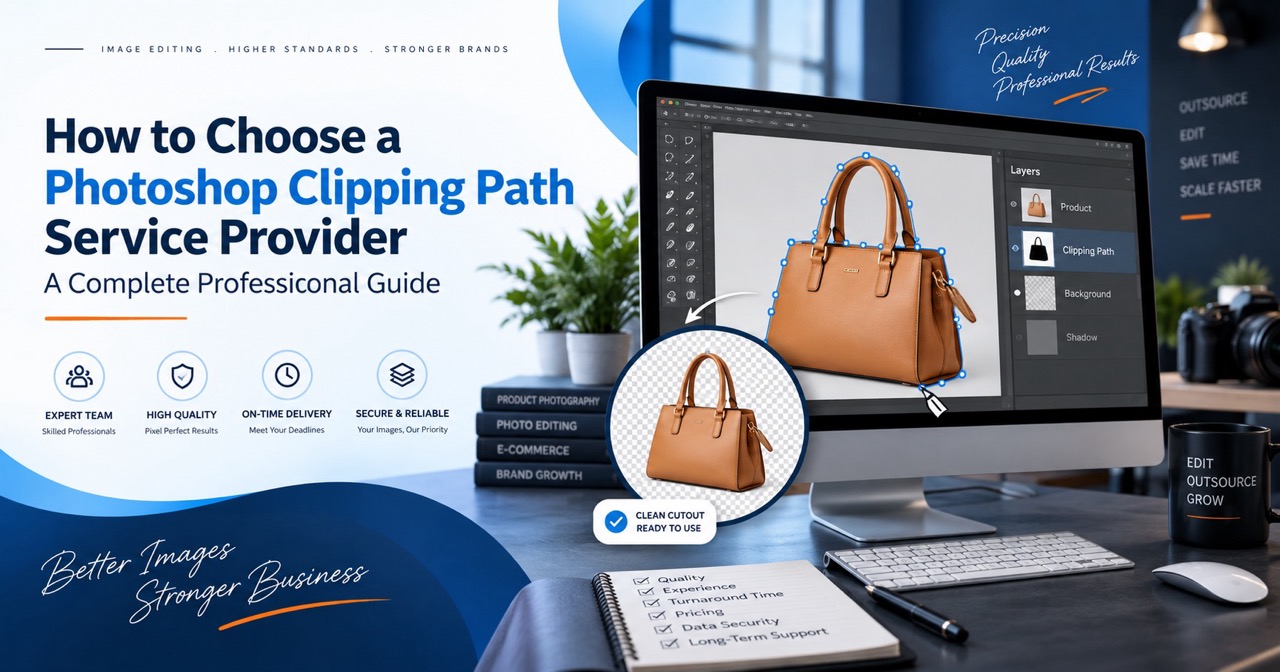
A clipping path is one of the most important techniques used in professional image editing. It allows an editor to separate a product or object from its original background by creating a precise vector path around its edges. Once the path is created, the background can be removed, replaced, recolored, or made transparent.
However, not all clipping path services deliver the same level of quality. Some providers rely heavily on automated tools, inexperienced editors, or rushed production processes. Others employ skilled Photoshop professionals, dedicated quality-control teams, secure file-handling systems, and well-organized production workflows.
This guide explains how to choose a clipping path service provider that can meet your quality standards, deadlines, budget, security requirements, and long-term production needs.
What Is a Clipping Path Service Provider?
A clipping path service provider is a company or professional team that uses Adobe Photoshop or similar image-editing software to isolate objects from their backgrounds.
The editor typically creates a hand-drawn vector path using the Photoshop Pen Tool. This path is placed carefully around the outer edge of the object. The completed path can then be used to remove the background or apply selective edits to a specific area.
Professional clipping path services are commonly used for:
- eCommerce product photography
- Fashion and apparel images
- Jewelry photography
- Furniture catalogs
- Automotive images
- Electronics and appliance photos
- Advertising campaigns
- Printed catalogs
- Real estate marketing
- Food photography
- Amazon, eBay, Etsy, and Shopify product listings
- Photography studio post-production
- Corporate marketing materials
A reliable provider may also offer related services such as image masking, photo retouching, shadow creation, color correction, ghost mannequin editing, image resizing, background replacement, and multi-path editing.
The purpose of outsourcing is not only to remove backgrounds. A capable clipping path service provider helps businesses process large quantities of images efficiently while maintaining a consistent professional standard.
Why Choosing the Right Provider Matters
Clipping path work may appear straightforward, but professional-quality results require patience, technical knowledge, visual judgment, and attention to detail.
An inaccurate path may cut into the product, remove important details, create rough edges, or leave traces of the original background. These problems may not be obvious when an image is viewed at a small size, but they become highly visible when the image is enlarged, printed, displayed on a high-resolution screen, or used in premium advertising.
The right clipping path company can help you achieve several important business goals.
Better Product Presentation
Clean, accurate product images make products look more organized, valuable, and trustworthy. This is particularly important for online stores where customers cannot physically inspect the item.
Consistent Brand Identity
When every image follows the same background, crop, margin, alignment, shadow, and color standards, the entire website or catalog appears more professional.
Faster Production
Outsourcing repetitive editing tasks allows photographers, designers, and marketing teams to focus on higher-value creative and business responsibilities.
Scalable Image Processing
A professional clipping path service provider can handle fluctuating image volumes, including seasonal campaigns, new product launches, and large catalog updates.
Lower In-House Costs
Hiring, training, and managing an internal image-editing team can be expensive. Outsourcing allows businesses to pay for the work they need without maintaining a full-time production department.
Improved Customer Experience
Clear and accurate product images help customers better understand what they are purchasing. This may reduce confusion, improve confidence, and potentially lower product return rates.
Because image quality affects so many parts of a business, choosing a provider should be treated as a strategic decision rather than a simple outsourcing transaction.
1. Evaluate the Provider’s Clipping Path Quality
The first and most important factor is quality.
A clipping path should follow the natural contour of the product accurately. It should not appear jagged, uneven, excessively sharp, or artificially smooth. The editor must understand where to place anchor points and how to use Bézier curves properly.
A strong clipping path usually contains the minimum number of anchor points required to reproduce the object’s shape accurately. Too many unnecessary points can create bumpy or unstable edges. Too few points can produce inaccurate curves and cut off parts of the product.
When evaluating quality, inspect the following areas carefully.
Edge Accuracy
Zoom in on the object’s edges. Look for missing sections, excessive trimming, rough corners, leftover background pixels, or unnatural outlines.
Curved Surfaces
Curves are especially important when editing bottles, watches, furniture, shoes, vehicles, glassware, and rounded packaging. The path should follow the original curve smoothly.
Narrow Openings
Products such as chairs, bicycles, machinery, jewelry, handbags, and furniture often contain spaces or holes that must also be clipped. These interior areas should be handled accurately.
Small Details
Check whether fine components such as straps, handles, buckles, chains, buttons, cables, spokes, and decorative elements have been preserved.
Natural Appearance
A professionally edited image should not look as though the product has been roughly cut out and pasted onto another background. The result should appear clean, balanced, and believable.
Consistency Across Multiple Images
One perfect sample does not guarantee consistent production quality. Ask to review several images, preferably edited by different members of the provider’s team. This will help you determine whether the company maintains a standardized quality level.
A provider should be confident enough to offer a free trial or sample edit. Testing the company with your own image is more valuable than relying only on portfolio examples, because your image will reveal how the team handles your specific product type and requirements.
2. Confirm That Paths Are Created Manually
Professional clipping paths should generally be created manually with the Pen Tool.
Automated background-removal tools have improved considerably, but they are not always suitable for commercial product photography. Automatic tools may struggle with low contrast, complex shapes, similar background colors, reflections, transparent areas, fine details, or overlapping objects.
For simple internal use or low-resolution social media content, automated background removal may sometimes be sufficient. However, it is usually not the best choice for:
- High-resolution eCommerce images
- Printed catalogs
- Large-format advertising
- Jewelry and luxury products
- Industrial equipment
- Furniture
- Automotive images
- Complex product compositions
- Images requiring reusable Photoshop paths
- Images that must comply with strict marketplace guidelines
Ask the provider whether its clipping paths are created manually. A trustworthy company should be transparent about its production process.
You may also request the final file in PSD, TIFF, or another format that preserves the clipping path. Opening the file in Photoshop allows you to inspect whether a functional path has been included.
Manual clipping takes more time than one-click background removal, but it offers greater control, precision, editability, and consistency.
3. Check the Provider’s Experience With Your Industry
Different industries require different editing skills.
A company may perform well with basic apparel images but struggle with reflective jewelry, transparent glass, detailed machinery, or multi-part furniture. For this reason, general experience is useful, but relevant industry experience is even more important.
Fashion and Apparel
Fashion images may require clipping paths, image masking, ghost mannequin editing, wrinkle reduction, shape correction, fabric retouching, and color matching.
Jewelry
Jewelry editing often involves extremely precise paths, dust removal, metal enhancement, gemstone correction, reflection control, and careful sharpening.
Furniture
Furniture images may contain complex curves, carved details, narrow spaces, fabric textures, reflective surfaces, and natural shadows.
Automotive Products
Cars, motorcycles, bicycles, and auto parts may require multiple paths, accurate curves, reflection management, shadow creation, and color correction.
Electronics
Electronic products often require clean geometric edges, screen replacement, dust removal, reflection control, and consistent alignment.
Food and Beverage
Food photography may require both clipping paths and image masking. Glass bottles, steam, transparent containers, and irregular food edges can be challenging.
Industrial Products
Machinery and tools frequently contain small openings, cables, complex components, metal surfaces, and detailed interior areas.
Ask the provider for examples related to your industry. An experienced team should understand common product characteristics, typical marketplace requirements, and the level of precision expected by your customers.
4. Review the Full Range of Image-Editing Services
Even when you currently need only clipping path work, your future projects may require additional services. Choosing a company with a broad range of capabilities can simplify your workflow and reduce the need to manage multiple vendors.
Useful complementary services include:
Background Removal
The original background is removed and replaced with white, transparent, colored, or customized backgrounds.
Image Masking
Masking is used for subjects with soft, fine, or partially transparent edges, including hair, fur, feathers, smoke, fabric fibers, plants, and translucent materials.
Multi-Clipping Path
Multiple paths are created within the same image so that different product components can be edited independently. This is useful for changing colors, adjusting specific sections, or preparing customizable product variations.
Photo Retouching
Retouching may include removing dust, scratches, stains, wrinkles, blemishes, unwanted reflections, production marks, and distracting objects.
Color Correction
Color correction improves brightness, contrast, saturation, white balance, and overall color consistency.
Color Change or Recoloring
A single product photograph can sometimes be used to produce several color variations. This can reduce photography expenses when performed accurately.
Shadow Creation
Natural shadows, drop shadows, reflection shadows, and floating shadows help products appear realistic after the original background has been removed.
Ghost Mannequin Editing
This technique removes the mannequin from clothing photographs and combines multiple images to create a three-dimensional hollow effect.
Image Resizing and Cropping
Images can be resized, cropped, aligned, centered, and optimized according to website, marketplace, catalog, or advertising specifications.
Image Restoration
Older or damaged photographs may be repaired, cleaned, recolored, or reconstructed.
Working with a full-service image-editing company creates a more efficient production relationship. You can establish one set of guidelines, one communication process, and one quality standard for multiple services.
5. Ask for a Free Trial Before Committing
A free trial is one of the best ways to evaluate a clipping path service provider.
Portfolio images are helpful, but they are usually selected to represent the company’s strongest work. A custom trial shows how the provider handles your actual image, instructions, product type, resolution, and complexity.
For the most useful test, submit an image that represents your normal workload. Avoid choosing an image that is significantly easier than your typical production files.
Your trial image should allow you to evaluate:
- Edge precision
- Path smoothness
- Small-detail preservation
- Background removal quality
- Shadow accuracy
- File organization
- Layer structure
- Naming conventions
- Turnaround time
- Communication
- Responsiveness to instructions
Provide clear directions with the sample. For example:
- Remove the original background.
- Deliver the image on a pure white background.
- Preserve the original natural shadow.
- Create a manual clipping path.
- Keep the path embedded in the PSD or TIFF file.
- Resize the canvas to specified dimensions.
- Use a particular file-naming system.
- Deliver both JPEG and transparent PNG versions.
After receiving the sample, inspect it at 100% to 300% magnification. Check the edges against contrasting backgrounds. A path that looks acceptable on white may reveal defects when placed against black, gray, or colored backgrounds.
A serious provider should welcome this evaluation process.
6. Understand the Pricing Structure
Clipping path pricing is usually based on image complexity, quantity, turnaround time, and required services.
Providers may classify clipping path work into categories such as:
- Basic
- Simple
- Medium
- Complex
- Super complex
Basic Clipping Path
Basic images usually contain simple shapes, smooth edges, and few anchor points. Examples may include boxes, books, mobile phones, plates, and rectangular products.
Simple Clipping Path
Simple images may contain slightly more curves or openings but remain relatively easy to isolate.
Medium Clipping Path
Medium-complexity images often include multiple curves, several holes, or more detailed edges. Examples may include shoes, bags, furniture, and some apparel products.
Complex Clipping Path
Complex images may contain many components, detailed shapes, numerous interior spaces, overlapping elements, or intricate contours.
Super-Complex Clipping Path
Super-complex images may include machinery, bicycles, chains, jewelry, detailed furniture, plants, nets, groups of products, or objects with hundreds of openings and individual components.
Do not assume that every image will have the same price. A reputable provider should explain how complexity is determined and provide a clear estimate before starting production.
Be Careful With Extremely Low Prices
Low pricing is attractive, especially for large-volume projects. However, unusually cheap services may involve:
- Automated editing instead of manual paths
- Inexperienced editors
- Poor quality-control procedures
- Excessive workloads per editor
- Inconsistent results
- Hidden fees
- Delayed delivery
- Weak customer support
- Limited revision options
- Security risks
The goal is not to choose the cheapest clipping path service provider. The goal is to find the best balance of quality, reliability, scalability, and cost.
A slightly higher per-image price may be more economical if it reduces corrections, customer complaints, internal review time, and production delays.
Ask About Volume Discounts
Businesses with recurring or high-volume projects should ask about custom pricing. Many providers offer discounted rates for large batches, ongoing contracts, or predictable monthly volumes.
However, volume discounts should never come at the expense of quality.
7. Evaluate Turnaround Time and Delivery Reliability
Fast turnaround is valuable, but reliability is more important than an impressive promise.
Many clipping path companies advertise turnaround times of 6, 12, or 24 hours. Before selecting a provider, determine whether those timelines apply to individual images, small batches, or full production orders.
Ask specific questions:
- How many images can the team complete within 24 hours?
- Is the quoted turnaround guaranteed?
- Are weekends and holidays included?
- Is urgent or express delivery available?
- Does faster delivery cost more?
- Can the provider handle sudden increases in volume?
- What happens if a deadline is missed?
- How are large projects divided and scheduled?
- Can completed files be delivered in stages?
For large projects, phased delivery can be extremely useful. Instead of waiting for the entire batch, you may receive completed images in smaller groups throughout the production period.
A professional provider should avoid making unrealistic promises. It is better to receive an honest production schedule than an aggressive deadline that cannot be maintained.
Consistency is especially important for agencies and eCommerce companies working with fixed launch dates. Delayed images can affect product listings, marketing campaigns, print schedules, customer approvals, and sales opportunities.
8. Examine the Quality-Control Process
Even experienced editors can make mistakes. The difference between an average provider and a professional provider often lies in the quality-control system.
Ask whether edited images are reviewed by a separate quality-control team before delivery.
A proper quality-control process may include:
- The production editor completes the clipping path.
- A senior editor or quality-control specialist reviews the image.
- The reviewer checks the path, edges, background, color, dimensions, naming, and file format.
- Any errors are returned to production for correction.
- The final file is approved and delivered.
For larger projects, the company may also use written editing guidelines, sample references, checklists, automated file validation, and dedicated project managers.
Important quality-control checkpoints include:
- Path accuracy
- Smooth curves
- Clean interior areas
- No unwanted background residue
- No missing product sections
- Correct image dimensions
- Correct resolution
- Accurate file names
- Proper color profile
- Correct background color
- Correct output format
- Organized layers
- Preserved transparency
- Consistent margins and alignment
You should also ask about the revision policy. A trustworthy provider should correct genuine editing errors without unnecessary delays or additional charges.
9. Review Communication and Customer Support
Communication problems can quickly turn a manageable project into a frustrating experience.
A professional clipping path service provider should be easy to contact and capable of understanding detailed production instructions. The support team should respond clearly, professionally, and within a reasonable timeframe.
Consider the following:
Response Time
How quickly does the provider reply to inquiries, quotations, trial requests, and revision questions?
Clarity
Does the company answer your questions directly, or does it provide vague and generic responses?
Technical Understanding
Can the support team understand terms such as clipping path, image masking, multi-path, color correction, canvas size, DPI, RGB, CMYK, PSD, TIFF, PNG, and transparent background?
Availability
Does the company offer support during your business hours? If the provider operates in another country, time-zone differences should be considered.
Dedicated Contact Person
For regular or large-volume projects, a dedicated account manager can improve communication and reduce misunderstandings.
Instruction Management
Ask how your instructions are recorded and shared with the editing team. Professional companies may use project-management software, internal production notes, annotated samples, or customer-specific editing profiles.
Good communication is not only about friendliness. It is about accuracy, accountability, documentation, and fast problem resolution.
10. Check Data Security and Confidentiality
Images may contain confidential products, unreleased collections, customer information, private photographs, marketing campaigns, prototypes, internal documents, or intellectual property.
Before uploading files, evaluate the provider’s security standards.
Ask about:
- Secure file-transfer systems
- Password-protected storage
- Access restrictions
- Employee confidentiality agreements
- Nondisclosure agreements
- Data-retention policies
- Backup systems
- File-deletion procedures
- Server security
- Third-party access
- Customer privacy policies
A professional clipping path service provider should be willing to sign a nondisclosure agreement when necessary.
You should also determine how long the company keeps your files after project completion. Some businesses want files deleted immediately, while others may prefer temporary storage for revisions or repeat orders.
Avoid sharing sensitive images through unsecured public links or informal messaging platforms unless appropriate protections are in place.
For highly confidential projects, request a written explanation of the company’s security procedures before beginning production.
11. Confirm File Format and Technical Capabilities
The final file must be compatible with your production workflow.
Before placing an order, specify the required output format. Common options include:
- JPEG
- PNG
- PSD
- TIFF
- EPS
- WebP
JPEG is widely used for websites and marketplaces but does not support transparency. PNG supports transparent backgrounds and is useful for web design. PSD files preserve layers, paths, masks, and editability. TIFF is often used for high-quality print and professional production.
You may also need to define:
- Pixel dimensions
- Canvas size
- Resolution
- Background color
- Color profile
- RGB or CMYK mode
- Compression settings
- Clipping path name
- Layer naming
- Product alignment
- Margin percentage
- Cropping ratio
- File-name structure
For example, Amazon product images generally require clean presentation and specific technical standards. Other marketplaces, retailers, or internal content-management systems may have different requirements.
A qualified provider should be able to follow technical specifications precisely. The team should not simply return a visually edited image while ignoring dimensions, resolution, or file organization.
12. Look for Scalability and Production Capacity
Your current project may contain 50 images, but a future project may contain 5,000.
A suitable clipping path partner should be capable of supporting business growth. Ask about the provider’s team size, daily production capacity, shift structure, quality-control resources, and ability to handle seasonal demand.
Scalability is especially important for:
- Large eCommerce retailers
- Online marketplaces
- Product photography studios
- Fashion brands
- Advertising agencies
- Furniture manufacturers
- Real estate media companies
- Automotive businesses
- Catalog production companies
- Image-editing resellers
A provider should be able to increase production without allowing quality to decline.
Ask how the company handles large orders. Does it assign a dedicated team? Are sample standards established before full production? Is there a project manager? Are files delivered in batches? Does the company track completed, pending, revised, and approved images?
A well-organized provider should have a clear workflow for high-volume projects.
Be cautious when a very small team claims it can process extremely large quantities within an unrealistic timeframe. High capacity requires trained editors, experienced supervisors, quality-control staff, dependable infrastructure, and strong production management.
13. Review Testimonials, Portfolios, and Company Reputation
A provider’s reputation can offer useful insight, but online claims should be evaluated carefully.
Start by reviewing:
- Portfolio samples
- Customer testimonials
- Third-party reviews
- Case studies
- Social media activity
- Business profiles
- Website quality
- Years in operation
- Published contact information
- Customer support channels
Look for detailed reviews that mention quality, turnaround time, responsiveness, revisions, and long-term reliability. Generic testimonials such as “great service” provide limited information.
Case studies can be particularly valuable when they explain the client’s challenge, the volume of work, the editing process, the delivery schedule, and the final outcome.
However, reputation should support your decision rather than replace direct testing. Even a highly rated provider should complete a trial before receiving a major order.
A polished website alone does not prove production quality. Similarly, a provider with excellent technical skills may have a relatively simple website. Focus on evidence, responsiveness, sample results, and process transparency.
14. Ask About Revisions and Satisfaction Guarantees
Revisions are a normal part of professional creative production.
Sometimes a client’s instruction may be interpreted differently than expected. In other cases, a genuine editing error may occur. Before ordering, ask how revisions are handled.
Important questions include:
- Are revisions free?
- What qualifies as a free revision?
- How quickly are corrections completed?
- Is there a revision deadline?
- How should errors be reported?
- Can annotated screenshots be submitted?
- Are major instruction changes charged separately?
- Is there a satisfaction guarantee?
- What happens if the result remains unacceptable?
A reasonable policy usually distinguishes between an editing error and a new request.
For example, if the editor accidentally removes part of the product, the correction should normally be free. However, if the original instruction requested a white background and the client later decides to use a custom lifestyle background, the additional work may involve a new charge.
Clear revision terms protect both parties and reduce conflict.
15. Determine Whether the Provider Can Follow a Style Guide
Businesses that publish large numbers of images should create a visual editing guide.
A style guide may include:
- Background requirements
- Shadow style
- Product positioning
- Canvas dimensions
- Margin rules
- Cropping ratio
- Color standards
- Brightness and contrast preferences
- Retouching limits
- File format
- Resolution
- File naming
- Layer organization
- Examples of approved images
- Examples of unacceptable images
The clipping path service provider should be able to study, document, and consistently follow these instructions.
During the trial, provide both written guidelines and visual examples. Compare the result with your approved reference.
For ongoing projects, request that the provider maintain a customer profile containing your standard instructions. This prevents you from having to repeat the same requirements for every order.
Consistency is particularly important when images are edited over several months or by multiple production teams.
16. Consider Time-Zone Compatibility
Outsourcing to another country can provide cost and production advantages, but time-zone differences must be managed properly.
In some cases, the difference can be beneficial. You may upload images at the end of your workday and receive completed files the following morning.
However, problems may arise when urgent questions cannot be answered because the provider’s team is offline.
Ask about:
- Customer support hours
- Production hours
- Weekend availability
- Holiday schedules
- Emergency contacts
- Overlapping business hours
- Typical response times outside regular hours
A provider with 24-hour production or support may be useful for agencies and global businesses. However, around-the-clock availability should not be assumed.
The goal is to establish a predictable communication schedule that supports your deadlines.
17. Compare Long-Term Value, Not Just Per-Image Cost
The lowest quoted rate does not always produce the lowest total cost.
Imagine that Provider A charges less but delivers inconsistent images. Your internal team must spend several hours checking files, requesting revisions, correcting mistakes, and reorganizing file names.
Provider B charges slightly more but delivers accurate, properly named, correctly sized, quality-checked files on time.
Although Provider B has a higher per-image price, it may provide greater overall value by reducing internal labor, delays, stress, and lost opportunities.
When comparing providers, consider:
- Editing quality
- Revision frequency
- Communication efficiency
- Delivery reliability
- Internal review time
- Security
- Production capacity
- Technical accuracy
- File organization
- Long-term consistency
Professional outsourcing should make your workflow easier. A cheap provider that creates additional work is not truly inexpensive.
18. Identify Warning Signs Before Placing a Large Order
Several warning signs may indicate that a provider is not ready to manage professional or high-volume work.
No Free Trial
A company that refuses to edit even one sample may not be confident in its quality.
Unrealistic Pricing
Extremely low prices may indicate automation, undertrained editors, rushed work, or hidden charges.
Unrealistic Turnaround Promises
A provider that promises thousands of complex images within a few hours should be asked to explain its production capacity.
Poor Communication
Slow, unclear, or unprofessional responses during the sales process may become worse after payment.
No Clear Revision Policy
The absence of written revision terms can create problems when errors occur.
Inconsistent Portfolio Quality
If some samples look professional while others appear rough, the company may not have an effective quality-control system.
No Business Information
Be cautious when a provider does not publish a business address, contact information, privacy policy, or identifiable company details.
Unwillingness to Discuss Security
A provider handling confidential images should be able to explain how files are protected.
Dependence on Automated Tools
Automatic tools may be useful in certain situations, but they should not be presented as a replacement for professional manual clipping when precision is required.
Poorly Organized Delivery
Incorrect file names, missing images, mixed formats, and disorganized folders may indicate weak project management.
Recognizing these warning signs early can prevent wasted time, missed deadlines, and compromised image quality.
A Step-by-Step Process for Selecting the Best Provider
A structured selection process makes it easier to compare companies objectively.
Step 1: Define Your Requirements
Document your average monthly image volume, product category, required services, target turnaround time, file formats, security expectations, and approximate budget.
Step 2: Create a Shortlist
Select three to five providers that appear experienced, responsive, and capable of handling your product type.
Step 3: Request Information
Ask each company about pricing, turnaround time, production capacity, revision policies, quality control, manual clipping, security, and support availability.
Step 4: Submit the Same Trial Image
Use the same image and instructions for every provider. This creates a fair comparison.
Step 5: Review the Results Carefully
Inspect path accuracy, edge quality, small details, shadow treatment, file structure, and technical compliance.
Step 6: Evaluate Communication
Consider how quickly and clearly each company responds. Communication quality is part of the service.
Step 7: Place a Small Paid Order
Before assigning a major project, submit a small batch. This will help you evaluate consistency across multiple files.
Step 8: Measure Performance
Track quality, revision rate, delivery time, file accuracy, and support responsiveness.
Step 9: Establish Long-Term Guidelines
Once you select a provider, create a formal editing guide, naming convention, communication process, and delivery schedule.
Step 10: Review the Relationship Periodically
Even strong providers should be evaluated periodically to ensure that standards continue to be met.
Clipping Path Service Provider Comparison Checklist
Use the following checklist when comparing potential vendors.
Quality
- Are clipping paths created manually?
- Are edges smooth and accurate?
- Are interior spaces handled properly?
- Are small details preserved?
- Is the quality consistent across several images?
- Is a separate quality-control review performed?
Experience
- Does the company have experience with your industry?
- Can it show relevant portfolio examples?
- Does it understand your product type?
- Can it handle complex and super-complex images?
Services
- Does it offer image masking?
- Does it provide retouching and color correction?
- Can it create natural shadows?
- Does it offer multi-clipping paths?
- Can it resize and optimize images for your platform?
Pricing
- Is the pricing structure clear?
- Are images categorized by complexity?
- Are there hidden fees?
- Are volume discounts available?
- Is express delivery priced separately?
Turnaround
- Is the deadline realistic?
- Can the company handle your normal volume?
- Can it support urgent projects?
- Is phased delivery available?
- Does it operate on weekends or holidays?
Communication
- Are responses prompt and clear?
- Is a dedicated project manager available?
- Does the support team understand technical instructions?
- Are your standard requirements documented?
Security
- Are secure upload and download methods available?
- Will the company sign an NDA?
- Are files protected from unauthorized access?
- Is there a clear deletion and retention policy?
Revisions
- Are genuine editing errors corrected free of charge?
- Is the revision process clearly explained?
- Are corrections completed quickly?
- Is there a satisfaction guarantee?
Scalability
- Can the provider process larger future volumes?
- Does it have enough trained editors?
- Is there a dedicated quality-control team?
- Can it maintain consistency during peak periods?
Frequently Asked Questions
What should I look for in a clipping path service provider?
Focus on manual clipping quality, edge accuracy, industry experience, turnaround reliability, quality control, communication, security, scalability, pricing transparency, and revision policies. A free trial should be completed before placing a large order.
How can I test a clipping path company?
Send a representative image with detailed instructions. Ask the company to create a manual clipping path, remove the background, preserve necessary shadows, and return the file in your required format. Inspect the result at high magnification and compare it against contrasting backgrounds.
Should I choose the cheapest provider?
Not necessarily. Extremely low prices may be associated with automated tools, rushed production, inexperienced editors, or inconsistent quality. Compare the complete value, including accuracy, revisions, delivery reliability, communication, and internal review time.
How much does a clipping path service cost?
Pricing depends on image complexity, quantity, turnaround time, and additional services. Basic geometric products cost less than complex products containing many curves, holes, transparent sections, or small components.
What is the difference between clipping path and image masking?
A clipping path is best for objects with solid, well-defined edges. Image masking is generally used for soft, detailed, or partially transparent edges such as hair, fur, feathers, fabric fibers, smoke, and glass.
Are automatic background-removal tools good enough?
Automated tools may be acceptable for basic, low-risk applications. However, professional eCommerce, print, advertising, and high-resolution product images often require manual editing for better precision and consistency.
What file format should I request?
The correct format depends on your workflow. JPEG is suitable for standard web use, PNG supports transparency, PSD preserves layers and paths, and TIFF is frequently used for high-quality professional production.
How quickly can clipping path work be completed?
Turnaround may range from a few hours to several days depending on complexity and volume. Always request a realistic schedule based on the number and type of images in your order.
Can a clipping path company handle thousands of images?
An established provider with trained editors, production managers, and quality-control teams should be able to manage high-volume projects. Ask about daily capacity, phased delivery, team assignment, and peak-season support.
Should the provider sign a nondisclosure agreement?
An NDA is recommended when images contain unreleased products, confidential campaigns, prototypes, customer data, or proprietary business information.
Final Thoughts
Choosing a clipping path service provider requires more than comparing prices on a website. The right partner should combine technical precision, consistent quality, responsive communication, realistic turnaround times, secure file handling, and enough production capacity to support your business.
Start by defining your requirements clearly. Shortlist several providers, submit the same trial image to each one, and inspect the results carefully. Evaluate not only the visible editing quality but also the provider’s communication, file organization, revision process, and ability to follow technical instructions.
Once you find a reliable company, establish a detailed style guide and production workflow. Provide reference images, naming conventions, background standards, dimension requirements, and examples of acceptable results. Clear documentation helps both your team and the service provider maintain consistency.
The best clipping path service provider should function as an extension of your creative or eCommerce team. The company should reduce your workload, protect your deadlines, maintain your brand standards, and deliver images that are ready for publication.
A dependable provider may contribute to better product presentation, more efficient operations, stronger customer confidence, and a more professional brand image. For that reason, the selection process should be based on long-term value rather than price alone.
Take the time to test, compare, and verify before committing to a large project. A careful decision at the beginning can lead to a productive outsourcing relationship that supports your business for years.