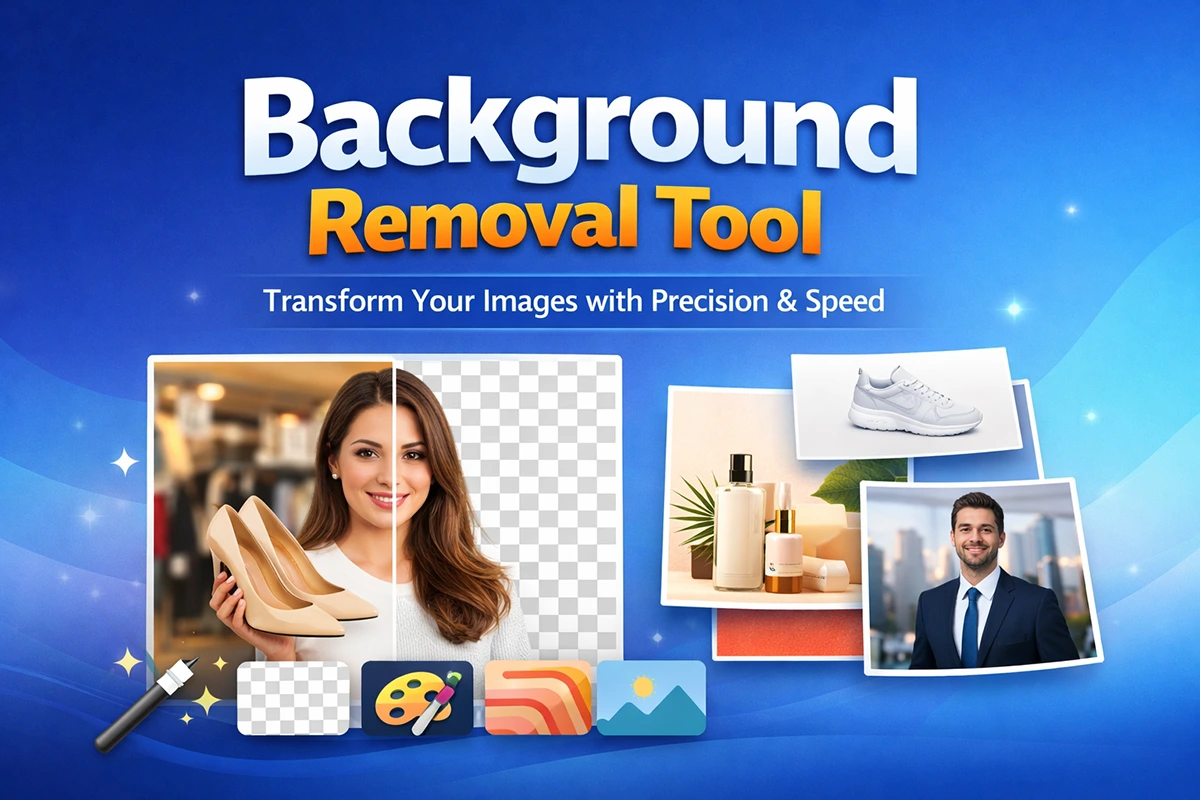
In a digital landscape where visuals often speak before words do, image quality can directly influence how people perceive a brand, product, or message. Whether you are selling products online, building a personal brand, managing social media campaigns, designing advertisements, or editing personal photos, the way an image looks matters more than ever. A clean, focused, and professionally presented image can instantly create a stronger impression than one with a distracting or messy background.
This is where a background removal tool becomes incredibly valuable. It allows users to separate the main subject of an image from its background, opening the door to cleaner designs, stronger visual presentation, and far more creative flexibility. What may have started as a simple photo can be transformed into a polished product image, a professional marketing asset, or a highly adaptable design element.
Today’s background removal tools have evolved far beyond basic editing features. Thanks to artificial intelligence and smart image processing, they are now faster, more accurate, and easier to use than ever before. Even users with little or no editing experience can remove unwanted backgrounds in seconds and produce results that look highly professional.
The true value of background removal lies not only in what it removes, but in what it improves. It sharpens focus, strengthens visual appeal, supports brand consistency, and gives users greater control over how their images are presented. A product can look more premium. A portrait can look more professional. A marketing graphic can look cleaner, more purposeful, and more engaging.
In this article, we will take a closer look at what a background removal tool is, how it works, why it matters, and how it can completely change the look and impact of an image. This guide is designed for business owners, marketers, photographers, designers, content creators, and anyone who wants to elevate image quality with confidence and precision.
What Is a Background Removal Tool?
A background removal tool is an image editing solution that separates the primary subject of a photo from its surrounding background. Once the background is removed, the subject can be placed on a transparent canvas, a white background, a solid color, or a completely new scene depending on the intended use.
The subject of an image can be almost anything: a product, a person, a logo, a piece of furniture, a fashion item, food, electronics, or another object that needs to stand out more clearly. The background, on the other hand, may be distracting, inconsistent, poorly lit, visually cluttered, or simply unsuitable for professional use. Removing it allows the main subject to take full visual priority.
In earlier days of photo editing, background removal was a highly manual process. Designers had to use selection tools, masks, and path-based techniques to cut out a subject by hand. While effective, this approach required both technical skill and significant time. Modern background removal tools have changed that completely. With the help of AI and advanced edge detection, much of the process can now be completed automatically in just a few seconds.
These tools are now available across a wide range of platforms. Some are built into professional editing software, while others are offered as browser-based tools, mobile apps, or features within graphic design platforms. This accessibility has made background removal practical for everyday users as well as professionals.
A high-quality background removal tool does far more than simply erase what is behind the subject. The best solutions refine edges, preserve fine details such as hair and fabric textures, reduce unwanted halos, and allow the user to make precise adjustments. In other words, the goal is not just removal, but a clean, natural, and usable result.
Why Background Removal Matters in Modern Image Editing
Background removal has become a key part of modern image editing because visual presentation now plays a major role in communication, branding, and conversion. Online audiences often make judgments within seconds, and images are frequently the first thing they notice. If a photo looks cluttered, inconsistent, or unprofessional, it can weaken the impact of even the best product or message.
One of the biggest reasons background removal matters is visual clarity. A busy background competes with the subject for attention. When that distraction is removed, the viewer can immediately focus on what is important. This makes the image easier to understand and far more effective in both marketing and communication.
Consistency is another major benefit. Brands, especially in eCommerce, often need large numbers of product images that all follow the same visual style. Different backgrounds can make a catalog feel disorganized or low quality. Removing the background and replacing it with a consistent look helps create a more polished and trustworthy brand presence.
Background removal also increases usability. Once a subject is isolated, the same image can be reused in many different places. A single cutout can be applied to a website banner, social media ad, product listing, printed brochure, presentation slide, or seasonal promotional design. That level of flexibility saves both time and production effort.
Professional appearance is equally important. Clean, background-free visuals are now expected across online stores, corporate websites, advertising campaigns, and branded content. They help images look more deliberate, refined, and commercially ready.
At the same time, background removal supports creative freedom. Designers and content creators can place subjects into new environments, combine multiple elements into one composition, or adapt visuals for different campaigns without starting from scratch.
For all these reasons, background removal is no longer just a technical editing option. It has become a strategic visual tool that improves focus, strengthens brand presentation, and enhances the overall quality of digital content.
How a Background Removal Tool Changes the Look of Your Image
The impact of background removal goes far beyond simple cleanup. It can completely reshape how an image feels, how professional it appears, and how effectively it communicates its purpose. In many cases, the subject itself remains unchanged, yet the image looks entirely different once the background is removed or replaced.
The first and most obvious change is cleanliness. An image that once looked casual or cluttered suddenly appears more organized and intentional. A product photographed on a table, shelf, or uneven surface may feel ordinary in its original form. Once the background is removed, that same product can look far more refined and commercially attractive.
The second major change is professionalism. A background-free subject placed on a clean white backdrop or a carefully selected brand color often resembles studio photography. This is especially valuable for businesses that want premium-looking visuals without the cost and complexity of full studio production for every image.
Another important transformation is emotional tone. Backgrounds influence mood more than many people realize. A dark background can make a product feel luxurious and dramatic. A light neutral background can create a clean and minimal look. A vibrant seasonal background can make the image feel festive or energetic. Once the original background is removed, users gain complete control over the visual atmosphere of the image.
Background removal also improves visual hierarchy. Without unnecessary elements behind the subject, details such as texture, color, shape, and finish become easier to notice. This is particularly useful for products where design details matter, such as clothing, furniture, cosmetics, electronics, perfumes, and accessories.
Perhaps most importantly, it makes the image more versatile. A cutout subject can be reused in multiple contexts without having to reshoot or redesign from the beginning. The same portrait can become a website profile image, a speaker announcement, a social media post, or a business presentation graphic. The same product image can be used across ads, banners, catalog pages, and promotional materials.
That is why background removal is so transformative. It does not just eliminate unwanted space. It redefines how the subject is seen.
How Background Removal Tools Work
Modern background removal tools rely on a combination of artificial intelligence, subject recognition, and edge-detection technology. Their job is to identify the main element in an image and separate it cleanly from the surrounding background.
The process generally begins with subject detection. The software scans the image to determine which part is likely to be the focus. In portrait photography, this is often a person. In commercial photography, it may be a product, container, garment, or object.
Once the subject is identified, the tool creates a mask around it. This mask determines which parts of the image should remain visible and which parts should be removed. The background is then hidden or deleted, leaving the isolated subject behind.
More advanced tools are capable of handling difficult edges with greater accuracy. This includes fine hair, soft fabric edges, transparent materials, reflective surfaces, and other details that are traditionally difficult to cut out manually. Better tools can also reduce halo effects, improve edge smoothness, and preserve natural transitions where needed.
Some background removal tools are fully automatic. Users simply upload an image, and the software removes the background within seconds. Others allow manual refinement, giving users the ability to restore parts of the subject, erase leftover background fragments, and fine-tune the cutout for a more precise finish.
Many modern tools also include additional features such as background replacement, blur effects, shadow creation, brightness adjustment, sharpening, and multi-format export. This makes them useful not only for removal, but for broader image enhancement as well.
The final quality of the result depends on both the tool and the source image. High-resolution images with good lighting and strong separation between subject and background usually produce the best results. Still, the underlying technology has improved enough that even complex edits are now dramatically easier than before.
Common Uses of Background Removal Tools
Background removal tools are now used across a wide range of industries and creative workflows because the benefits are universal. Wherever image quality matters, background removal can usually add value.
eCommerce Product Photography
One of the most common uses of background removal is in online retail. Product images need to look clean, consistent, and trustworthy. A simple white or transparent background helps shoppers focus entirely on the item itself. This is particularly important in product catalogs, marketplaces, and branded online stores.
Social Media Content
On social media, images must capture attention quickly. Background-free visuals help create stronger promotional posts, thumbnails, story designs, and branded campaigns. Isolated subjects can easily be combined with text, color, and design elements to create more engaging content.
Marketing and Advertising
Advertising visuals need to communicate clearly and quickly. Background removal allows marketers to isolate products, people, or promotional elements and place them into more purposeful, visually controlled designs. This improves clarity and often strengthens the overall message.
Personal Branding and Professional Profiles
Professionals increasingly use background removal for headshots, profile pictures, portfolio pages, speaker materials, resumes, and business presentations. A clean portrait with a refined background creates a far stronger impression than a casual photo taken in an everyday setting.
Graphic Design Projects
Designers use cutout images in everything from posters and flyers to presentation decks and packaging concepts. Once an object is isolated, it becomes much easier to incorporate into custom layouts and creative compositions.
Photography Retouching
Photographers use background removal to eliminate distractions, create artistic composites, enhance portrait work, and offer clients more polished final images. It also allows greater flexibility in creative direction after the shoot.
Education and Presentations
Teachers, students, and professionals often use background removal to prepare slides, learning materials, and visual documents. Clean visuals are easier to understand and more effective in structured layouts.
Interior, Furniture, and Decor Promotion
Furniture and decor brands often remove or replace backgrounds to present products in a cleaner, more attractive setting. This can make the item easier to imagine in real-life use while keeping the focus on its design.
The range of applications continues to grow, but the core reason remains the same: background removal gives users more control over presentation and visual quality.
Key Benefits of Using a Background Removal Tool
There are many reasons why background removal tools have become a standard part of modern image editing. Their value lies not only in appearance, but also in speed, efficiency, and flexibility.
Improved Visual Focus
Removing the background helps the subject stand out instantly. This makes the image easier to interpret and keeps attention where it belongs.
Professional Presentation
A clean cutout almost always looks more polished than an image with a distracting or inconsistent background. This is especially important for businesses and creators who want to present themselves professionally.
Faster Workflow
AI-powered tools save an enormous amount of time. Tasks that once required careful manual editing can now be completed in seconds or minutes.
Stronger Brand Consistency
Using the same style of background across multiple images helps maintain a cohesive visual identity. This is especially useful for product catalogs, websites, and social media branding.
Greater Creative Flexibility
Once a subject is isolated, it can be used across many different formats and campaigns. This reduces the need for repeated editing or reshooting.
Better Marketing Performance
Clearer, more attractive visuals often perform better in ads, product listings, and promotional materials because they are easier to process and more visually appealing.
Accessibility for Beginners
Modern tools are designed to be user-friendly, allowing non-designers to produce impressive results without advanced technical knowledge.
Cost Efficiency
Businesses can often reduce production and editing costs by using background removal tools instead of relying on complex manual editing for every image.
Taken together, these benefits make background removal a highly practical solution for both creative and commercial work.
Features to Look for in a Good Background Removal Tool
Not all background removal tools are equally effective. Some prioritize speed, while others focus more on detail and control. To achieve professional-quality results, certain features are especially important.
Accurate Subject Detection
A strong tool should be able to identify the main subject reliably, even in images with multiple elements or more complicated compositions.
Edge Refinement
Clean edges make a major difference in the final look. Good tools preserve small details and prevent rough, artificial cut lines around the subject.
Transparent Background Export
The ability to export with transparency, especially in PNG format, is essential for flexible use in design and publishing.
Manual Touch-Up Controls
Even strong automatic tools can make occasional mistakes. Manual erase and restore tools allow users to fine-tune the result where necessary.
Background Replacement Options
Many users need more than just removal. The ability to add a new solid color, gradient, blur effect, or custom background is highly useful.
Batch Processing
Businesses handling multiple images benefit enormously from the ability to remove backgrounds in bulk.
High-Resolution Output
The best tools preserve image quality so the final file remains suitable for websites, marketing, and even print use.
Fast Performance
Quick processing matters, especially when editing large volumes of content.
Simple Interface
A clear and intuitive interface makes the tool more practical for beginners and speeds up workflow for professionals.
Multiple File Format Support
Compatibility with common image formats increases convenience and workflow efficiency.
A good background removal tool should combine usability, precision, and output quality in a way that supports both speed and professionalism.
Background Removal for eCommerce Success
For eCommerce businesses, image quality is not just a design detail. It is a direct factor in customer trust, engagement, and purchasing decisions. Online shoppers cannot physically inspect a product, so they rely heavily on visuals to judge quality, detail, and value.
A clean background helps present the product clearly and professionally. It eliminates distractions and allows customers to focus on features such as shape, material, finish, packaging, and color. This is especially important for product categories like fashion, beauty, perfume, electronics, home decor, and accessories.
Many online marketplaces also encourage or require white-background product images. Sellers who meet those visual standards tend to appear more credible and more established. Uniform presentation also improves the browsing experience across the entire store.
Background removal creates additional value beyond the main product page. Once a product image is isolated, it can easily be used in promotional banners, discount ads, category layouts, comparison charts, and seasonal campaigns. This helps businesses create more marketing content without starting from scratch every time.
For stores with large inventories, the ability to standardize all product visuals is a major advantage. Even when photos are taken in different settings, background removal can help unify them into one clean, consistent presentation style.
In a competitive online market, small visual improvements can influence how professional a brand feels. Background removal is one of the simplest and most effective ways to strengthen product presentation at scale.
Background Removal for Social Media and Personal Branding
Social platforms reward clarity, strong design, and immediate visual impact. Background removal helps creators and brands produce cleaner, more intentional content that stands out more effectively in crowded feeds.
For businesses, cutout product images can be combined with offers, headlines, colors, and graphic elements to create promotional content that feels sharper and more branded. For personal brands, background-free portraits can be used across profile banners, social posts, presentation slides, websites, media kits, and announcement graphics.
One of the biggest advantages here is adaptability. A single portrait or product image can be repurposed for many different campaigns simply by changing the surrounding design or background. This makes content creation more efficient while maintaining visual consistency.
For influencers, consultants, entrepreneurs, and public-facing professionals, consistent presentation matters. Background removal helps create a polished identity across different platforms without requiring a new photoshoot for every use.
When used thoughtfully, it supports clearer communication, stronger aesthetics, and a more recognizable visual brand.
Challenges in Background Removal and How Good Tools Solve Them
Despite major advancements, background removal can still be challenging in certain cases. Some images are naturally more difficult to process because of their complexity.
Hair, fur, feathers, smoke, lace, glass, and semi-transparent materials are among the most difficult elements to cut out cleanly. Lower-quality tools may remove too much detail or leave rough, unnatural edges behind.
Low contrast also creates difficulty. If the subject blends into the background because of similar colors or brightness levels, it becomes harder for the software to identify the correct boundaries.
Busy scenes can cause problems as well. When there are shadows, reflections, overlapping objects, or visually confusing surroundings, the tool may misread what should remain and what should be removed.
Poor lighting and low image quality can make the process even harder. Blurry photos, noisy images, and weak exposure reduce detection accuracy.
Stronger tools solve these problems with better AI training, improved edge refinement, and manual correction features. The ability to zoom in, use brush tools, feather edges, and restore missing parts gives users more control over challenging images.
In most cases, the best results come from a combination of a capable tool and a strong source image. Good lighting, sharp focus, and clear subject separation make the process far more successful.
Best Practices for Using a Background Removal Tool
To get the most professional-looking result, it helps to use background removal tools with a few best practices in mind.
Start with the highest-quality image possible. Sharp, well-lit photos generally produce much cleaner cutouts.
Choose images where the subject stands out clearly from the background. The more visual separation there is, the easier it is for the tool to perform accurately.
Always inspect the result carefully. Pay attention to edges, corners, shadows, and delicate details such as hair or transparent surfaces.
Use manual refinements when necessary. Even a small amount of touch-up work can significantly improve the final result.
Think about the purpose of the final image before selecting a new background. A white background may be ideal for product listings, while a custom branded background may work better for advertising or social media.
Add natural-looking shadows when placing a subject onto a new backdrop. This helps the image feel more realistic and grounded.
Export in the appropriate format. Transparent PNG files are usually best when the image will be reused in multiple designs.
If you are editing a group of images for one brand or campaign, maintain consistency in style, color treatment, and presentation. That consistency strengthens overall professionalism.
These small decisions can make the difference between a basic cutout and a high-quality visual asset.
Why Background Removal Is Essential for Modern Businesses
In today’s market, businesses are judged visually at every stage of the customer journey. Before reading descriptions or comparing features, people often react to what they see first. That means image presentation has a direct influence on brand perception.
Background removal helps businesses create cleaner product photos, better promotional materials, more effective advertising creatives, and stronger brand consistency. It supports both appearance and efficiency.
For smaller businesses, it offers a practical way to elevate content quality without the cost of elaborate production. For larger brands, it helps maintain consistent standards across high-volume image workflows.
It also improves content reuse. A single isolated image can serve multiple teams and channels, from website design and eCommerce to email marketing, print materials, and social campaigns.
Ultimately, better visuals support better communication, and better communication supports stronger business performance. Background removal is one of the most accessible ways to improve that visual quality.
The Future of Background Removal Tools
Background removal technology is continuing to advance rapidly. AI is getting better at detecting complex edges, handling transparency, preserving realistic shadows, and separating multiple subjects within the same frame. These improvements will make the editing process even more accurate and efficient.
We can also expect deeper integration with broader creative platforms. Rather than treating background removal as a standalone step, future tools will increasingly connect it with full editing workflows, design automation, and real-time content creation.
Mobile editing will continue to improve as well, making high-quality background removal more accessible for creators and businesses working directly from smartphones and tablets.
As digital content becomes more visually competitive, tools that simplify professional image editing will only become more valuable. Background removal will remain a core part of that evolution.
Conclusion
A background removal tool is one of the most effective and practical solutions in modern image editing. It helps users eliminate distractions, highlight the subject, improve visual quality, and create a far more professional final result. What once required advanced skill and time-consuming manual work can now be done with remarkable speed and accuracy.
Whether the goal is to improve product photography, enhance social media content, strengthen personal branding, or create cleaner marketing materials, background removal delivers real value. It does not just remove what is unnecessary. It improves what matters most.
When used properly, a background removal tool can turn an ordinary image into a polished and highly versatile asset. It sharpens focus, increases usability, supports branding, and creates stronger visual impact across digital and print platforms alike.
In a world where image quality can influence attention, credibility, and conversion within seconds, background removal is no longer just a helpful editing feature. It is an essential part of professional visual communication.